How should I decide when to use Adaptive Practice vs. the Placement Quiz with my students?
Which Should I Choose?
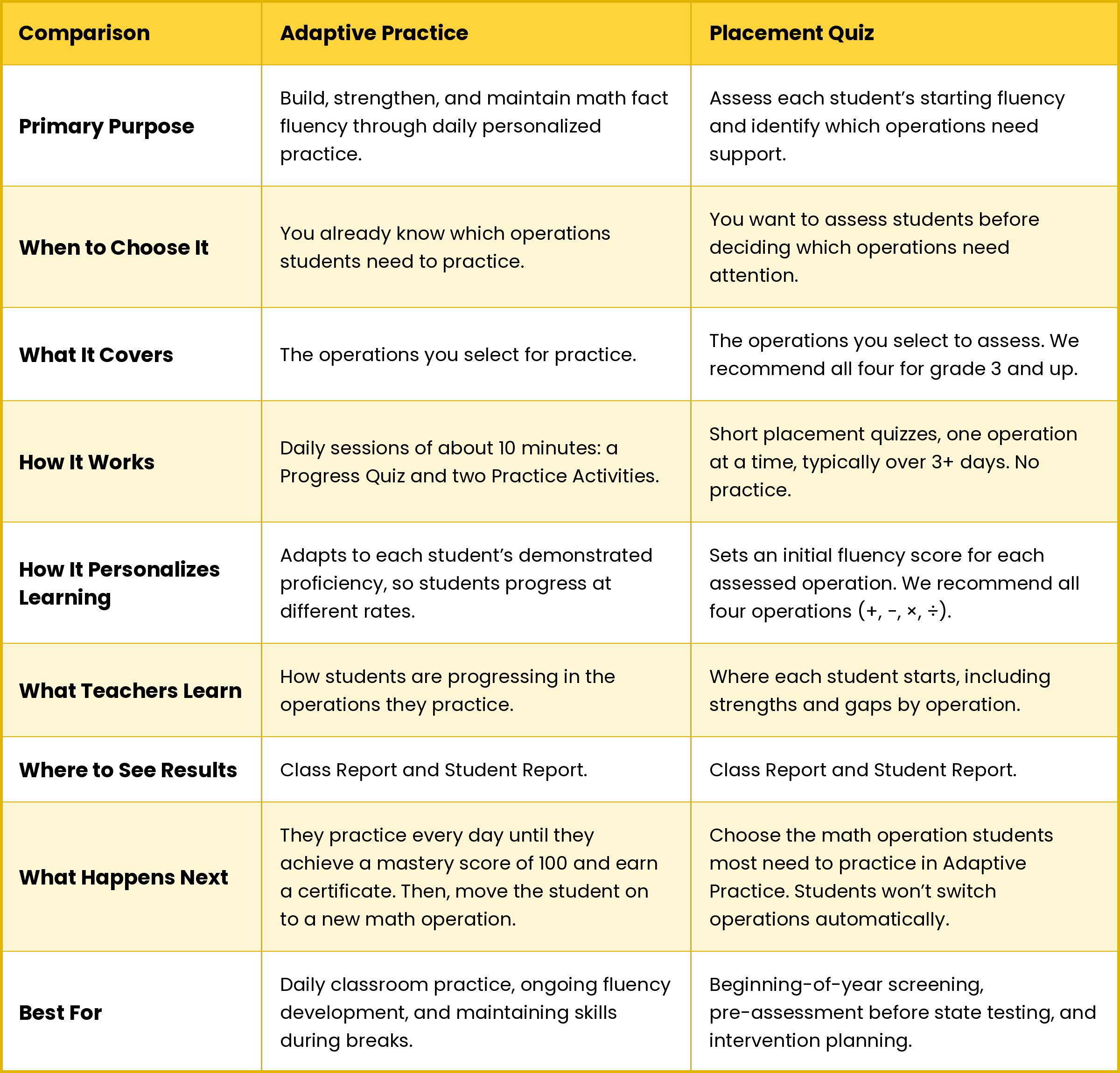
Choose Adaptive Practice if you already know which operation your students need, such as multiplication. Choose the Placement Quiz if you want to find out where each student stands before you decide.
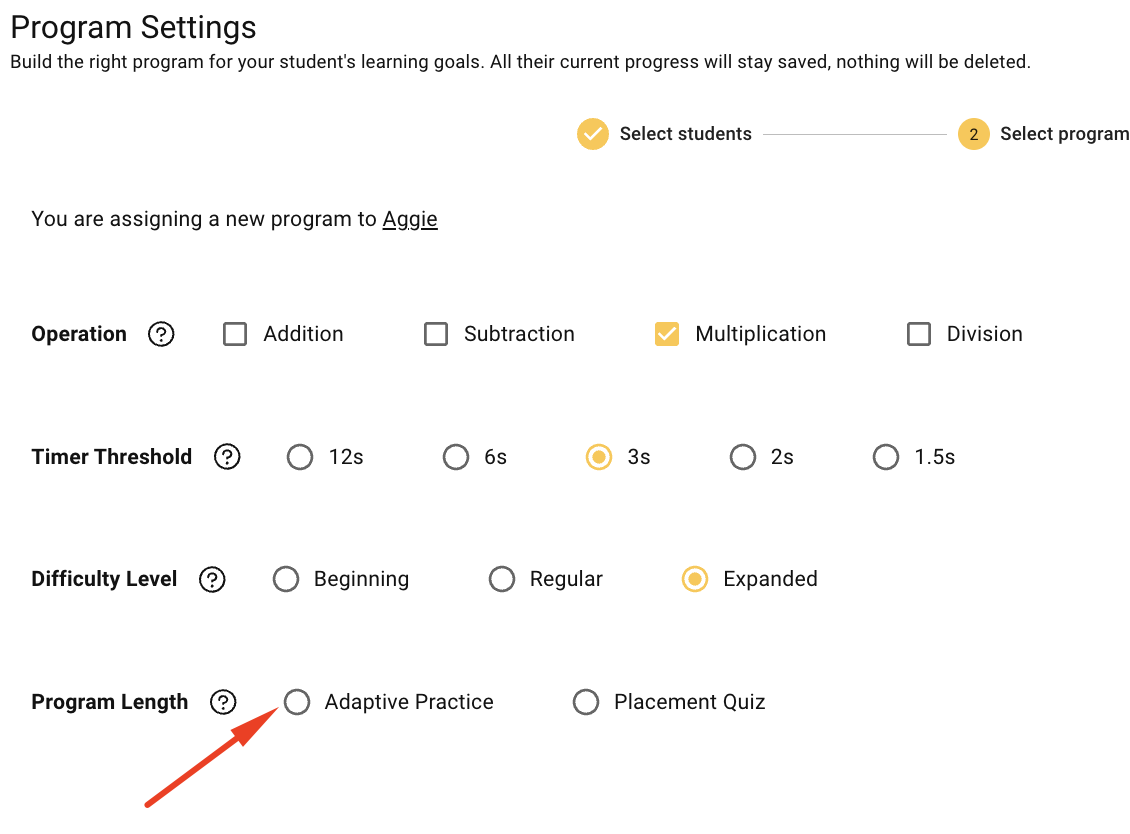
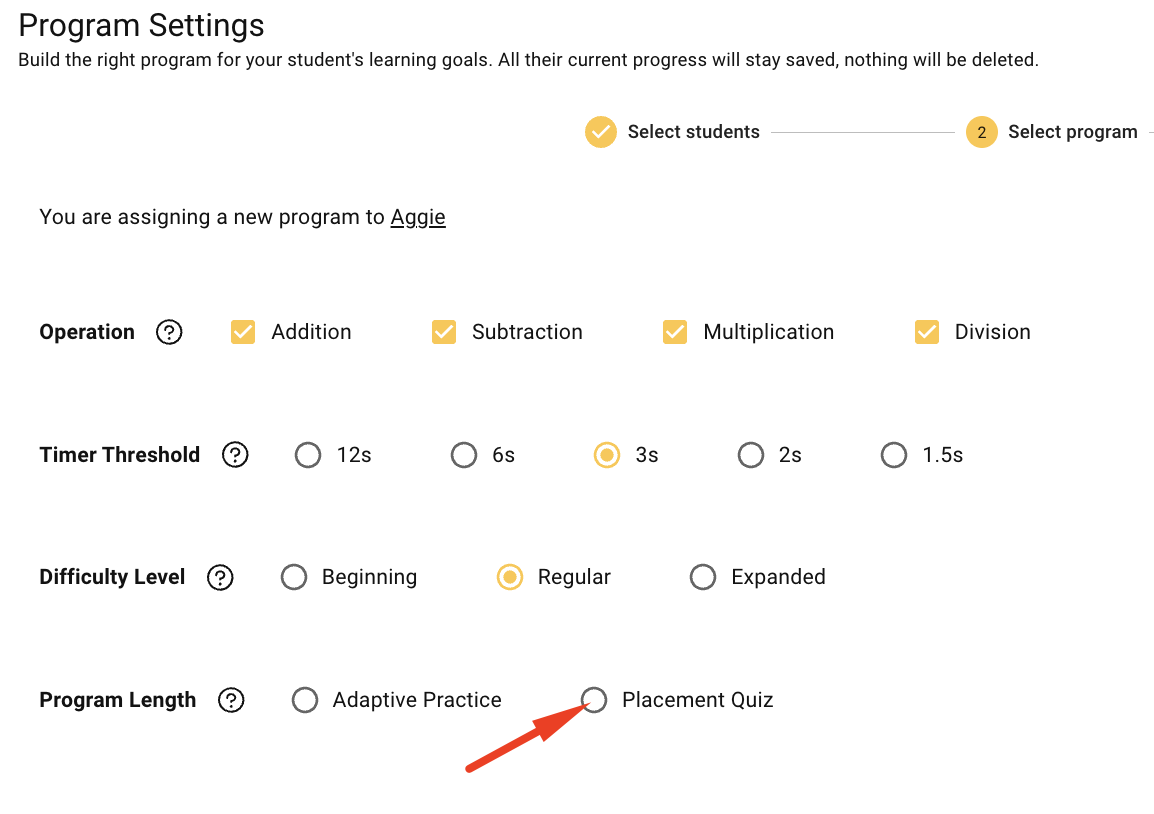
You'll find both options in Program Settings, under Program Length. Program Settings is on the left side of your Teacher Dashboard.
Note: The Placement Quiz option is available only with an XtraMath license.
Together, these features support a continuous process:

XtraMath helps teachers move beyond simply assigning math fact practice. By understanding where students need support, teachers can use practice more intentionally, focus on individual learning needs, and monitor progress over time.
Adaptive Practice: Build fluency every day
Adaptive Practice builds math fact fluency through short daily practice. Choose it when you already know which operation your students need.
XtraMath adapts practice to each student’s demonstrated proficiency. Students may begin at different levels and progress at different rates, depending on their performance and developing fluency.
How does it work? What happens in each daily session?
Each session takes about 10 minutes.
- Progress Quiz (first ~2 minutes). New students take short quizzes in the assigned math operation and get an initial mastery score. Then the session starts with a daily Progress Quiz (an ongoing assessment that measures improvement and retention over time (long-term memory).
- Two Practice Activities. These activities reinforce math fact learning; XtraMath’s adaptive algorithm uses spaced repetition to tailor practice to each student, strengthening recall, and building automaticity.
For example: A fourth-grade teacher knows her students need multiplication practice. She selects multiplication, chooses the expanded level (facts up to 12 × 12), and sets a three-second response-time goal. That means students work toward answering each fact correctly within three seconds.
Placement Quiz: Find each student's starting point
The Placement Quiz is a diagnostic fluency assessment, available with an XtraMath license, that helps educators understand each student’s starting level with basic math facts across addition, subtraction, multiplication, and division.
Unlike daily Adaptive Practice, the Placement Quiz does not include practice. Instead, it assesses students’ fluency levels and identifies which operations need the most attention, helping teachers answer an important instructional question: Where should this student focus first?
Teachers can use the results to prioritize practice, make informed instructional decisions, and provide targeted support based on each student’s needs.
💡Best for: Beginning-of-year fluency screening, pre-assessment before state testing, intervention planning, and progress monitoring. Especially useful for middle school students and high school intervention groups.
How does it work?
- Select the operations to assess. We recommend all four operations (+, −, ×, ÷) for grade 3 and up, and addition and subtraction for grade 2 and younger.
- Students take short placement quizzes, one operation at a time. When XtraMath sets a score for one operation, the student moves on to the next.
- Placement typically takes 3 or 4 days of 10-minute sessions. Some students finish faster than others, which is expected.
- XtraMath assigns an initial fluency score for each operation.
For example: A sixth-grade student’s Student Report shows the following results:
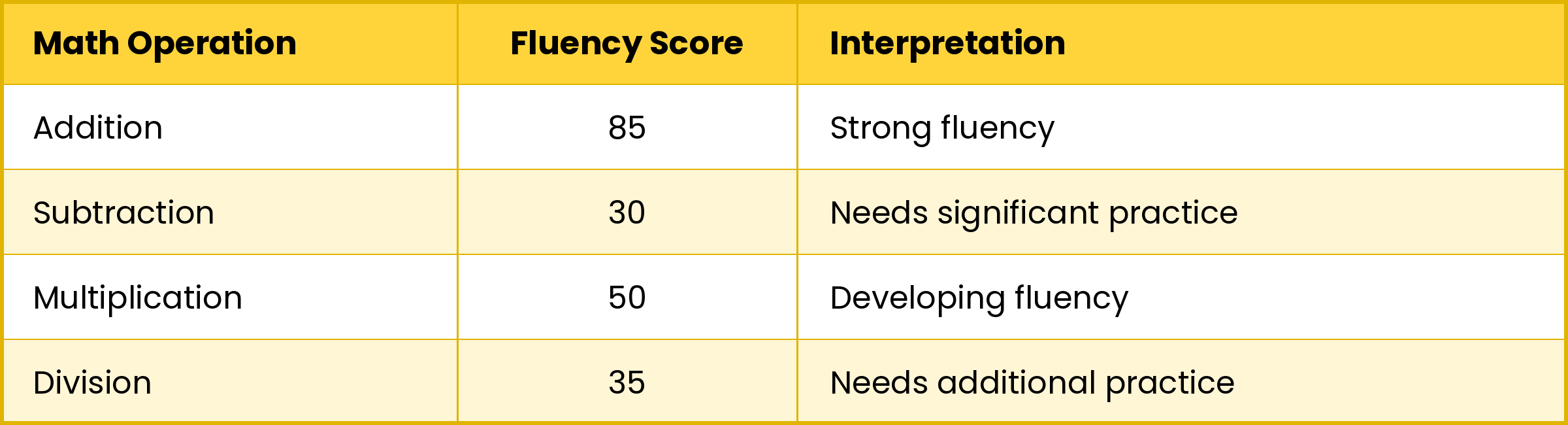
In this example, the teacher might prioritize assigning targeted "Adaptive Practice" in the following order:
- Subtraction: Highest priority because the student has the greatest need for additional practice.
- Division: Next priority to strengthen developing fluency.
- Multiplication: Continue reinforcing skills and building automaticity.
- Addition: Maintain fluency through continued practice.
Using the Placement Quiz results, teachers can make better use of students’ practice time and focus attention on the operations that need immediate support.
Where do I see the results?
Scores appear in your Class Report and in each student's Student Report. To open a Student Report, sign in to your teacher account, go to your Class Report, and click the student's name.
The Student Report shows a separate score for each operation. This lets you compare a student's strengths and gaps instead of relying on one overall score.
Can I use both, assessing first and then practicing?
Yes. This works especially well at the start of the year. Assign the Placement Quiz first. When students finish, review their scores and assign Adaptive Practice for the operations that need the most attention.