
What Is the Classroom Brief, and How Do I Use It?
The Classroom Brief is a one-page plan for your class that arrives by email every Monday morning. It's part of Fluency Intelligence, included with XtraMath Pro. XtraMath reads the practice your students already do each day and turns it into clear next steps: which students need your help this week, what strategy to try with them, and who can keep going on their own. Your students don't do anything differently; they keep the same 10-minute daily practice, with no new apps or logins.
How to use it
Set aside about 10 minutes on Monday to read the brief and plan your week. Work through it from top to bottom:
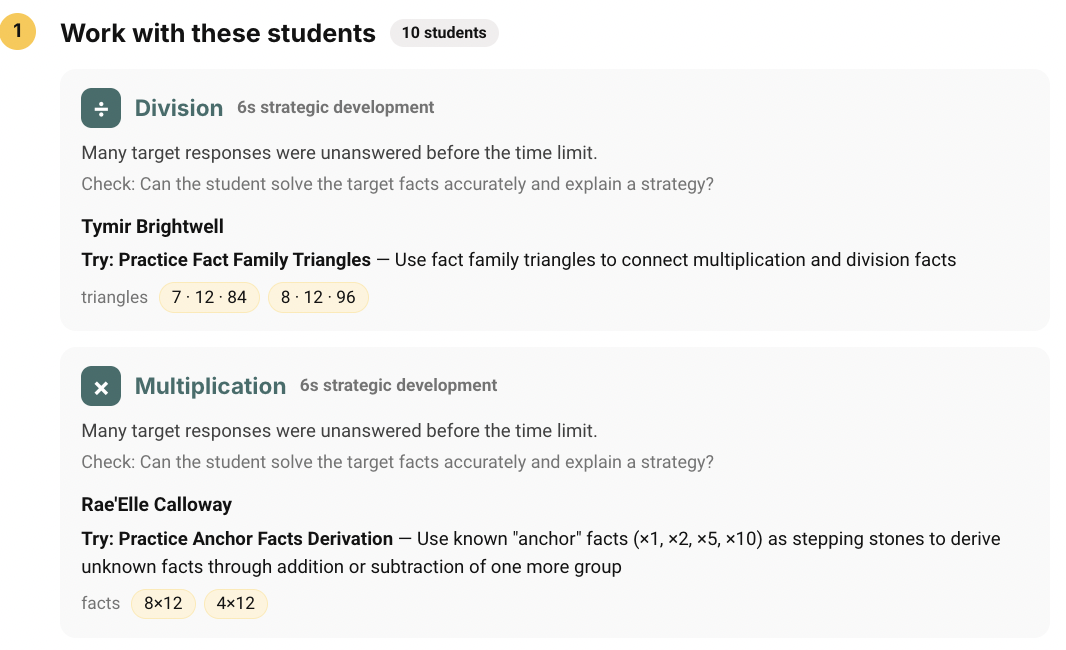
1. Start with "Work with these students." These are the students who need your time this week. The brief groups them by operation, explains what their practice shows, and suggests a strategy to try, with links to materials from your school's curriculum. Use these groups to plan small-group or intervention time.
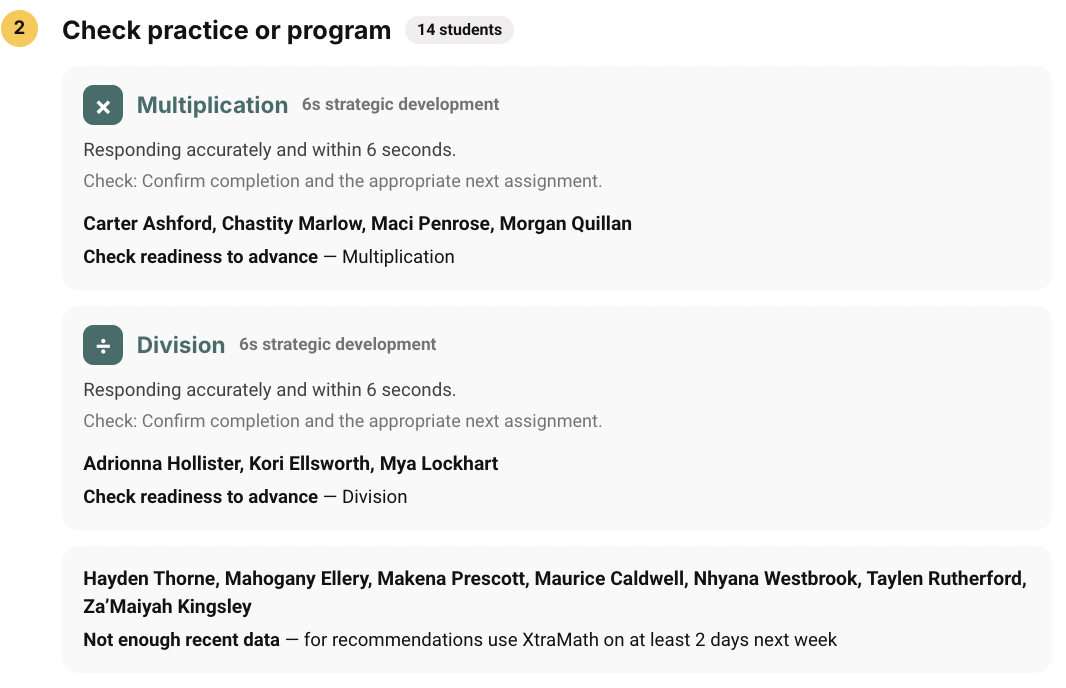
2. Check "Check practice or program." These students are answering accurately and quickly. Confirm they've mastered the facts, then choose their next assignment.
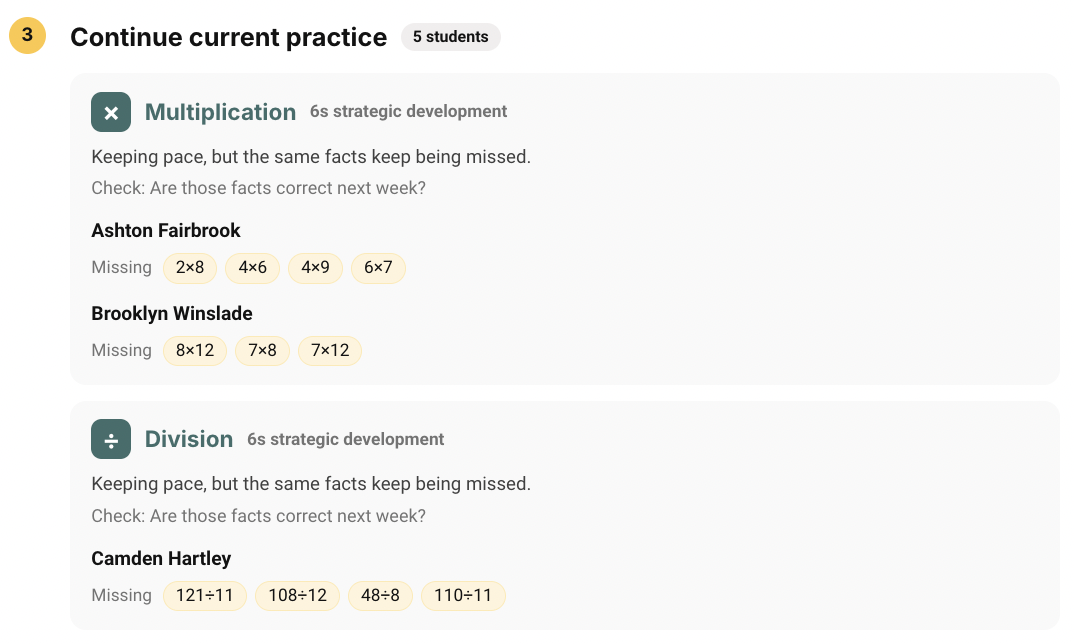
3. Review "Continue current practice." These students are on track and don't need extra time this week. The brief lists the specific facts each one keeps missing, so you can check those facts next week.
4. Follow up on "Needs more evidence." These students didn't practice enough for a recommendation. Make sure they practice on at least two days this week.
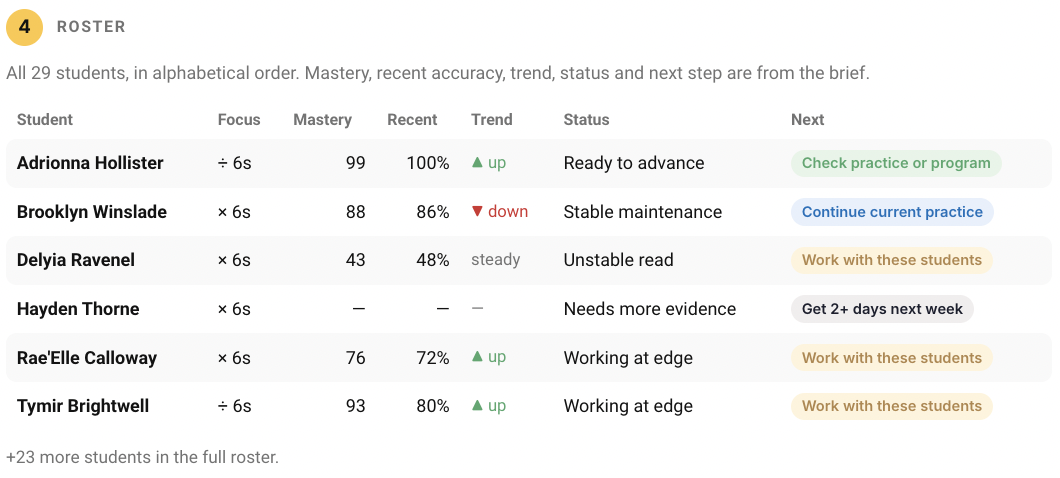
5. Use the student table for a full picture. It shows every student's focus operation, mastery, recent accuracy, trend, and next step. If you don't group students, you can use this table on its own.
The brief only makes recommendations, and you make every decision. It never changes a student's program automatically, and you can ignore any suggestion if your judgment says otherwise. Each week, your teaching shapes your students' practice, and the next Monday's brief reflects that progress.