
Duplicate Student Accounts - Instructions to Send Parent/Teacher
1. Please have the student log in while you observe.
2. Click on the student's name
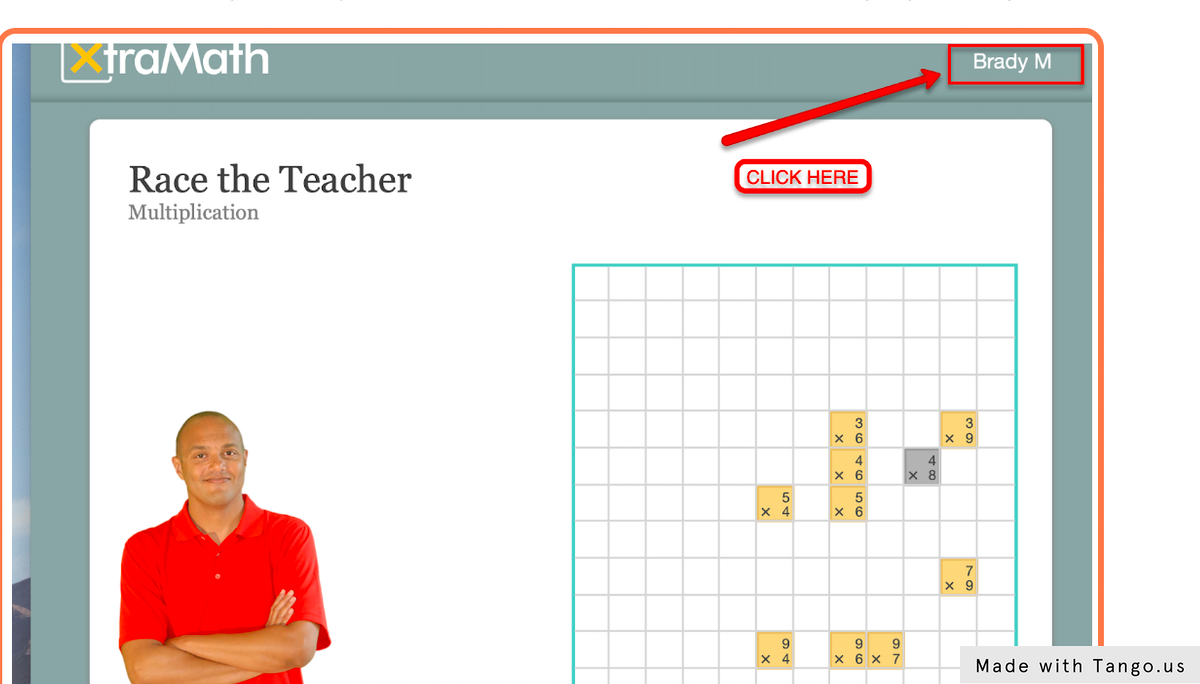
3. Take a screenshot of the yellow box that appears. Be sure to include the student's enrollment code.
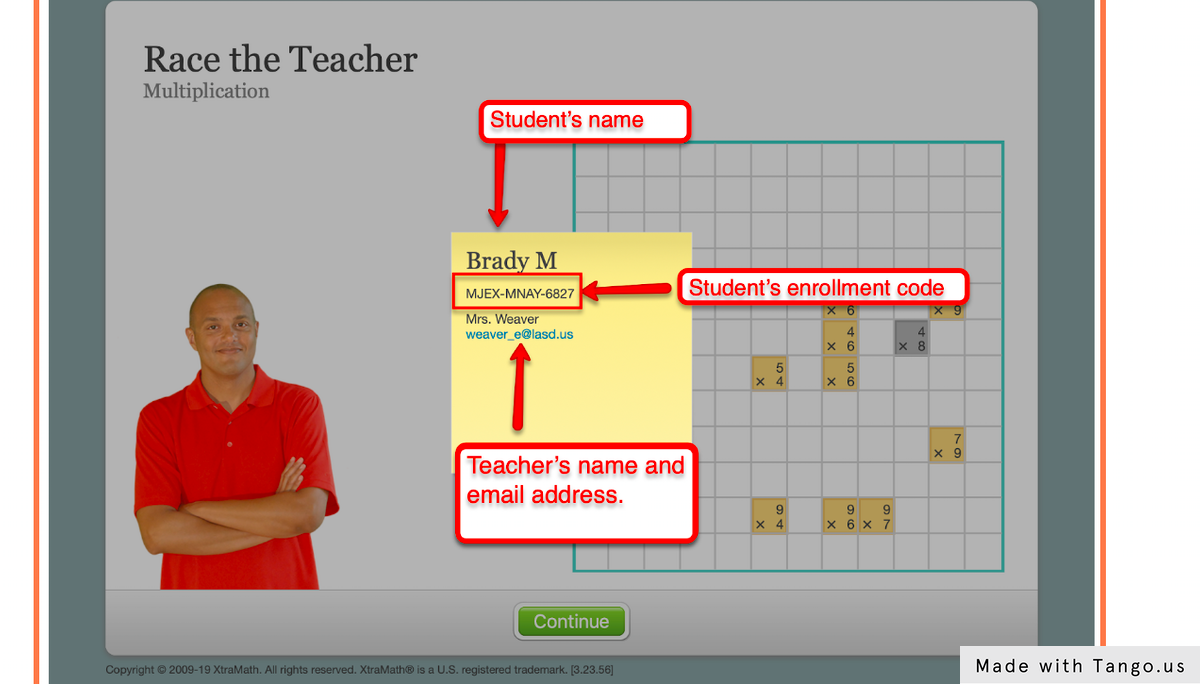
4. Save that screenshot, and send it to the XtraMath Support team. We will use it to locate your student's duplicate account and resolve the issue.